
Last Updated on December 6, 2025 by Jeremy
Ask ten creators what the best AI image generator is and you will hear the same names. Midjourney. DALL·E. Canva. Maybe Stable Diffusion if they like to tinker. Very few people mention DSGNPop Image Studio inside Wealthy Affiliate, which is funny because it has quietly become one of the tools I lean on the most.
In this review I want to do two things at once. First, answer the big search question: can DSGNPop actually compete as one of the best AI image generators for marketers and content creators in 2025. Second, show how I am using it in the real world to build my 0 to 100K case study, client projects, and challenge submissions.
Before we get deep into features, I want to quickly show where this fits in the keyword landscape. When I ran “best ai image generator” in Jaaxy, I saw a few things that matter for this review.
- “best ai image generator 2025” with strong SEO scores and compare intent.
- “ai image generator for marketing” around 1,200 monthly searches.
- “ai image generator for beginners” and “best ai image generator for content creators” with very friendly SEO scores.
- Question based searches like “How do I create images using AI tools” and “How do I use an AI image generator effectively”.
So this review is written for the person behind those searches. Someone who wants a practical tool, not another toy that looks great on Twitter but never makes it into a blog post, pin, or ad.
What Is DSGNPop Image Studio Inside Wealthy Affiliate
DSGNPop is the creative suite that lives inside Wealthy Affiliate. It includes:
- Image Studio for AI generated images, ads, social graphics, pins, and illustrations.
- Logo Designer for vector style logo concepts and brand marks.
- Article Designer for content layouts and visual content ideas.
If you are Premium Plus inside Wealthy Affiliate, you receive a large stack of AI credits every month that you can use across these tools. During Black Friday and special challenges, Kyle has even given out extra Image Studio credits and contests to push people to actually use the engine, not just scroll past it.
I go much deeper into the platform itself in my main review here: Wealthy Affiliate Review – The Real Story for Beginners Who Want Digital Skills That Pay .
Real Use Cases From Inside The Community
Before I show my own examples, it is worth looking at what other members have done with Image Studio, because it gives a good sense of the range.
One Prompt, Many Images for Ads and Pins
Apache1 published a smart walkthrough called “The Power of WA’s Image Studio: One Prompt Many Images”. The idea is simple. Use one well written Wealthy Affiliate ad prompt, attach the WA logo as a reference, and let Image Studio generate an entire batch of variations for different formats.
That single prompt produced thirteen different ad ready images. Square formats for Instagram, 9:16 for stories, 16:9 for featured images. Same message. Fresh layouts. Zero stock photos in sight.
This is a perfect example of “best ai image generator for content creators” in action. One thought out prompt. Multiple brand matched assets. And a workflow that would be painful to imitate with a traditional design tool.
You can read his full breakdown here, which includes the original prompt and image sets: The Power of WA’s Image Studio: One Prompt Many Images .
Jay’s Client Work and Social Packs With DSGNPop
Jay from Magistudios did something I think more affiliates should pay attention to. He recorded a session called “How to Make Money With The DsgnPop Image Studio” that walks through real client work, not theory.
In his example, he used Image Studio to create a series of seasonal condo images for a client. Cozy fall, Christmas, and post party setups built from the same base photo and transformed into a full social content sequence for Google Business and Facebook.
His takeaway was simple. You can package this service. Offer four custom social posts per month for a hundred dollars and let DSGNPop carry the heavy creative lifting. That is the “ai image generator for marketing” use case almost nobody talks about when they review tools.
You can watch his full training here: How to Make Money With The DsgnPop Image Studio .
Stress Testing Image Studio Against 26 Generators
On the advanced side, MrDon ran Image Studio through three brutal prompts to test its physical realism. Temporal paradox portraits, quantum reflection cityscapes, and recursive mirror experiments. These are the kind of prompts you give to see if an engine completely breaks.
He scored each result against strict criteria and concluded that Image Studio belonged in his list of top AI image generators, right alongside twenty six other dedicated platforms. His summary was that the engine was not a gimmick. It handled photometric realism and complex lighting better than many standalone tools.
He also pointed out the cost angle. At 500 credits per generation, Image Studio can feel expensive if you pay for every credit. For Premium Plus members, the 60,000 monthly credits shift that math. Suddenly you are spending those credits on original images instead of letting them sit idle.
His full write up is worth a read if you love technical breakdowns: Pushing the Limits of the New Wealthy Affiliate Image Studio .
How I Use DSGNPop For My Own Business
Now for my side of the story. Here are some of the ways I am using Image Studio inside my own projects.
1. Blog Quote Graphics and Brand Storytelling
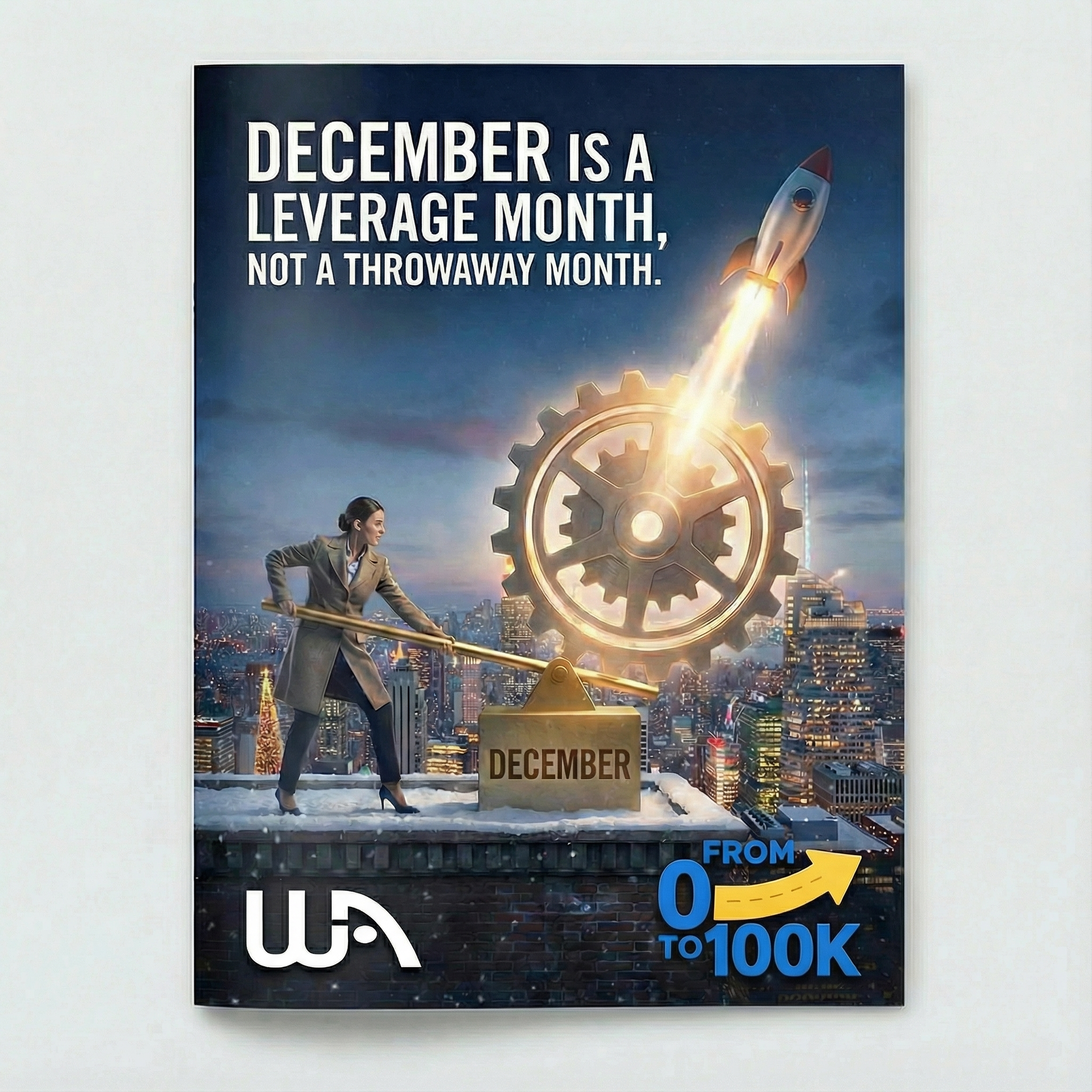
In my December article Why December Is the Most Important Month for New Affiliates , there is a quote graphic that reads “December is not a throwaway month. It is a leverage month if you treat it like one.”
That entire image was produced in Image Studio using a brand matched color palette and a simple prompt. I did not have to fight with fonts or layout templates. I wrote the line, described the mood, and let the engine produce something that matched the tone of my 0 to 100K site.
2. Pinterest Challenge Submission
Kyle recently launched the December “Perfect Pin” challenge inside Wealthy Affiliate. The rules were straightforward. Create a Pinterest pin inside Image Studio, post it in the comments, and optionally share it on Pinterest for real reach. Ten winners would receive cash and a large bundle of AI credits.
This was the perfect playground for testing Image Studio as a “best ai image generator for social media” tool. Here is the pin I created for that challenge, along with the live Pinterest version.
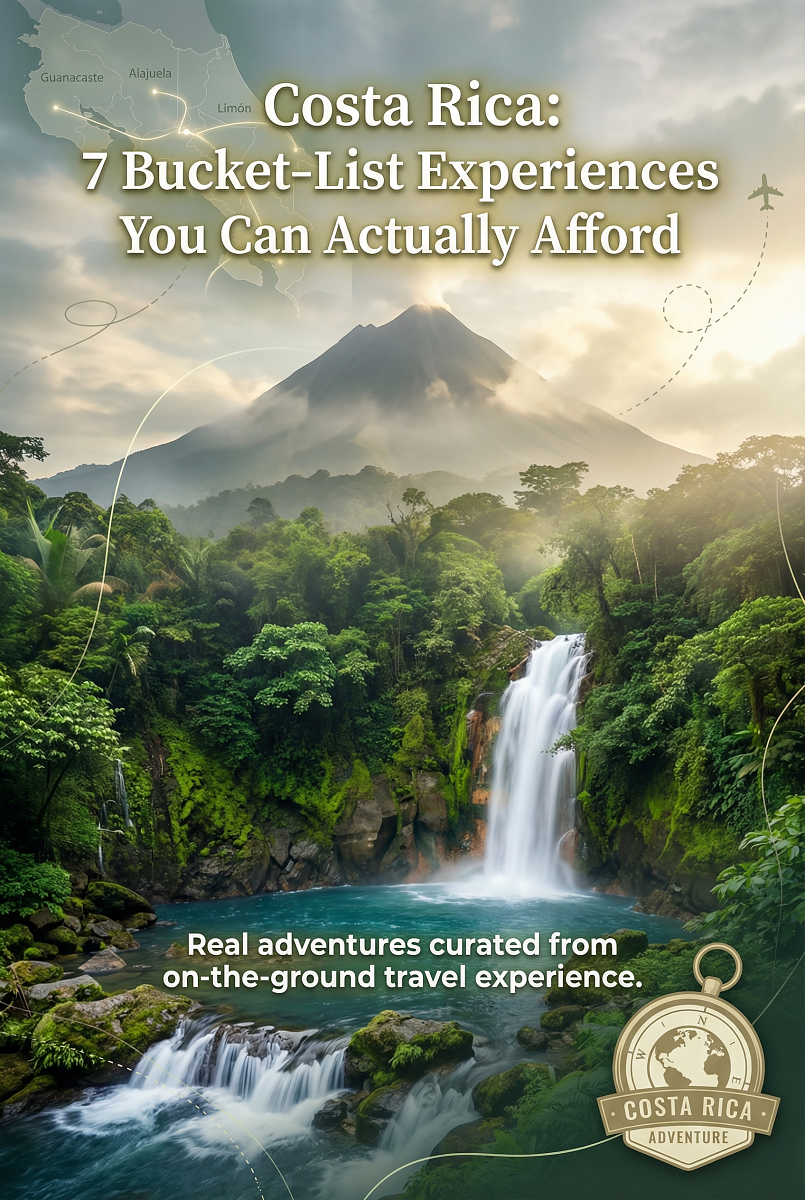
Live pin on Pinterest: https://pin.it/6F5kC7syE
This pushed me to treat Image Studio as a real Pinterest design tool rather than “just another AI toy”. It handled text, layout, and travel imagery without me leaving the WA ecosystem.
You can read the full challenge brief here, including Kyle’s update about the new Image Studio model and improved text handling: December Challenge 1 – The Pinterest Perfect Pin Challenge .
3. Logo Designer plus Image Studio for Brand Refreshes
One of my favorite experiments was a mini brand refresh based on the Walmart concept. I used the Logo Designer to generate a fresh concept, then pulled that into Image Studio to create a “before and after” style visual.
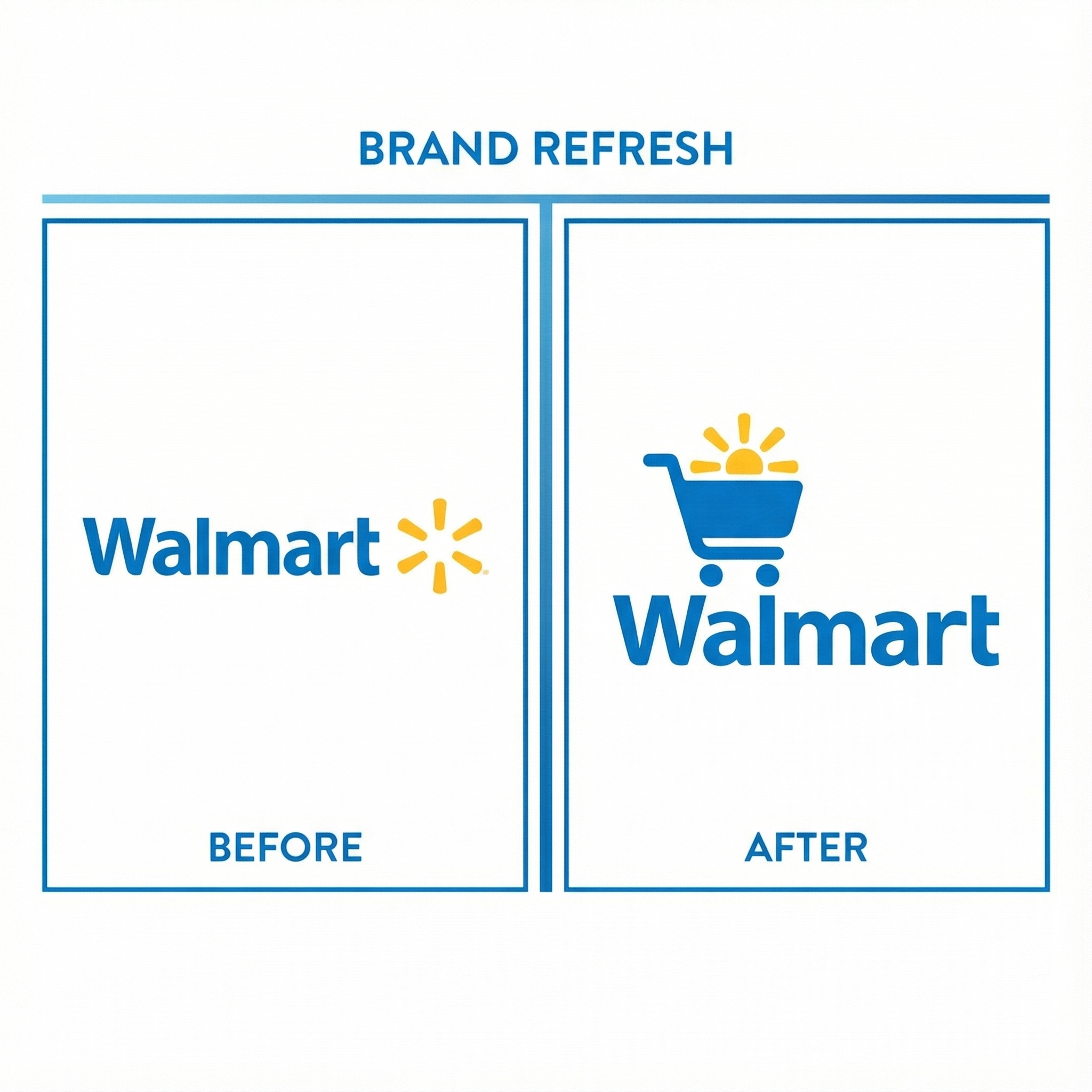
From there I took the current Walmart logo, dropped it into Image Studio, and asked for a futuristic, updated version. The result was clean and modern. Something you could absolutely use as inspiration for a real world brand refresh.
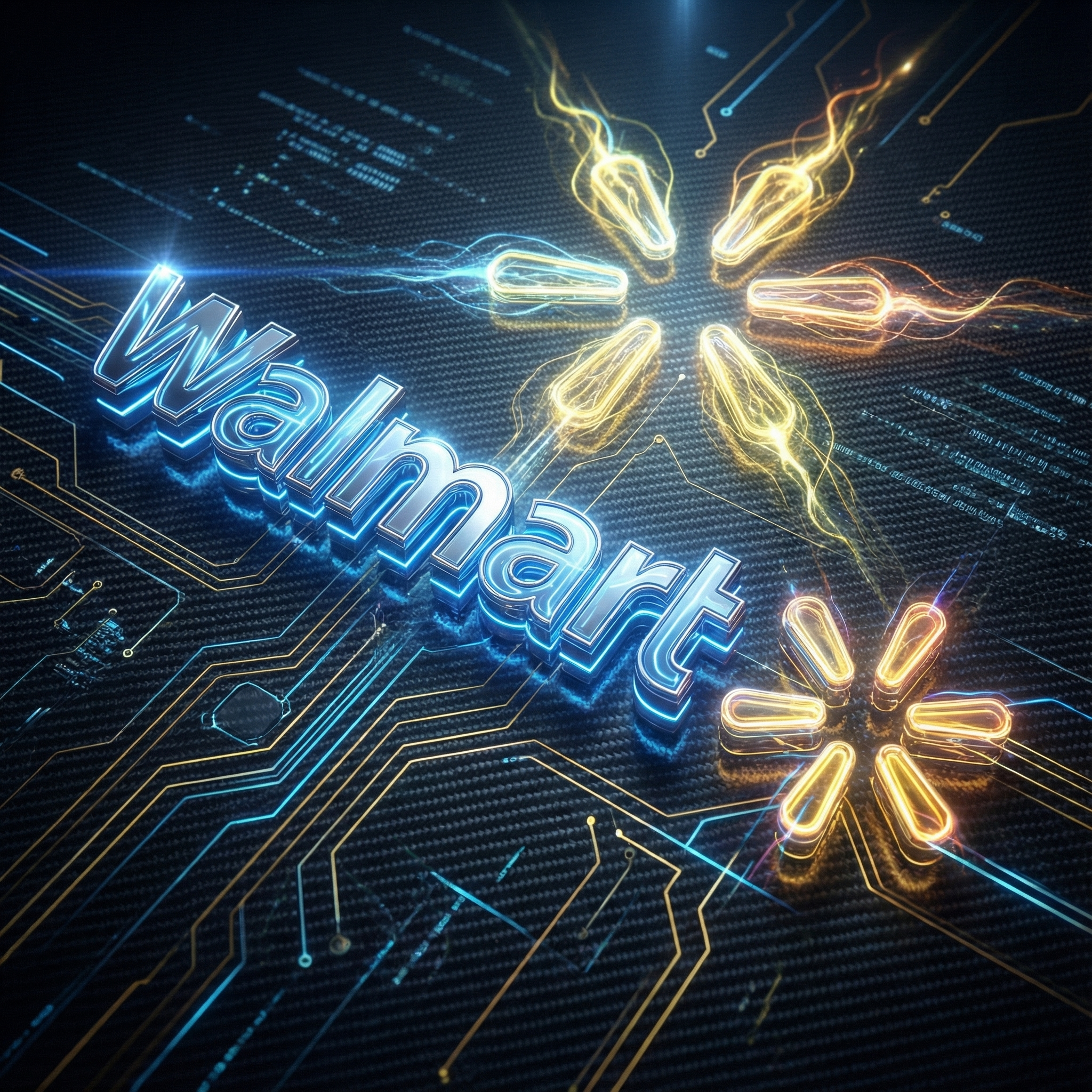
This is a very real use case for “ai image generator for small business owners”. Local shops, micro brands, and online stores can prototype logo ideas and visual directions before hiring a designer for final polish.
4. Client Ads and Campaigns
I also use Image Studio to support client work, including fly fishing campaigns at FlyFishCR.com. The goal in those cases is not to create wild AI art but to help build ad creatives that stand out in a real feed. Paired with tight targeting and copy, these images translate into clicks, conversations, and bookings.
I covered some of that ad side in my Week 7 update here: Week 7 Update .
How Image Studio Works Step by Step
If you have never used an AI image generator before, tools can feel intimidating. Image Studio keeps the process simple enough that beginners can get results while still giving more advanced users room to push it.
Step 1. Choose Your Canvas
Start by choosing the size and orientation. Square for Instagram. 9:16 vertical for Reels and stories. 2:3 or custom for Pinterest. 16:9 for banners and hero images. This single step already puts Image Studio in the “ai image generator for beginners” category. You do not have to guess which ratio you need.
Step 2. Write a Useful Prompt
The engine responds best to clear, descriptive prompts. I often draft prompts in an AI assistant first. For example, I might ask for a 500 character description of a “Costa Rica fly fishing scene at golden hour” or a “clean workspace hero image that matches navy and gold colors”. Then I paste that into Image Studio.
For more complex work, like characters or brand avatars, I will describe attributes in detail first. Hair, expression, lighting, camera angle. The more info you feed it the more control you gain. This is where the “how ai image generation works” and “ai image generation techniques” keywords meet real life.
Step 3. Add Reference Images When Needed
Some of the best results come from combining prompts with reference images. For example:
- Uploading the WA logo when creating Wealthy Affiliate ads.
- Uploading a property photo when building a seasonal social set for a real estate client.
- Uploading your existing logo before asking for a refreshed concept.
Image Studio lets you mix and match art styles with these references, which is how Apache1 was able to generate thirteen creative ad variations from a single prompt and logo image.
Step 4. Choose Style and Generate
You can choose between different art and realism styles, then hit generate. The new model that rolled out shortly before the December challenge brought big improvements here. Text inside images is much sharper. Layouts are cleaner. Photorealistic prompts hold up under closer inspection.
Step 5. Refine and Iterate
Most of my images go through a few rounds. Tweak the prompt. Nudge the style. Regenerate. If I am building a sequence, I save the prompt and use it as a template for additional variations. This gives me consistent pin sets, ad families, or quote series instead of a pile of unrelated one offs.
Step 6. Export and Put It To Work
Once you are happy with an image, you download it and put it where it belongs. Blog posts, Pinterest, Facebook, Google Business, landing pages, or client social packs. In my view, an image is only “finished” once it is attached to real content.
DSGNPop Image Studio vs Other AI Image Generators
Let us talk comparisons, because “top rated ai image generators” is where most reviews stop being useful. Here is my take after using multiple tools side by side.
DSGNPop vs GPT Image Tools
GPT based image tools are great for wild concept art and very literal prompt interpretation. They are perfect if you want a custom mascot on Mars or a banana riding a bicycle through space. Where they tend to struggle is structured marketing output.
DSGNPop wins when you want:
- Consistent aspect ratios for specific platforms.
- Sharper and more legible text inside your images.
- Templates that feel more like ads, pins, and blog graphics than abstract art.
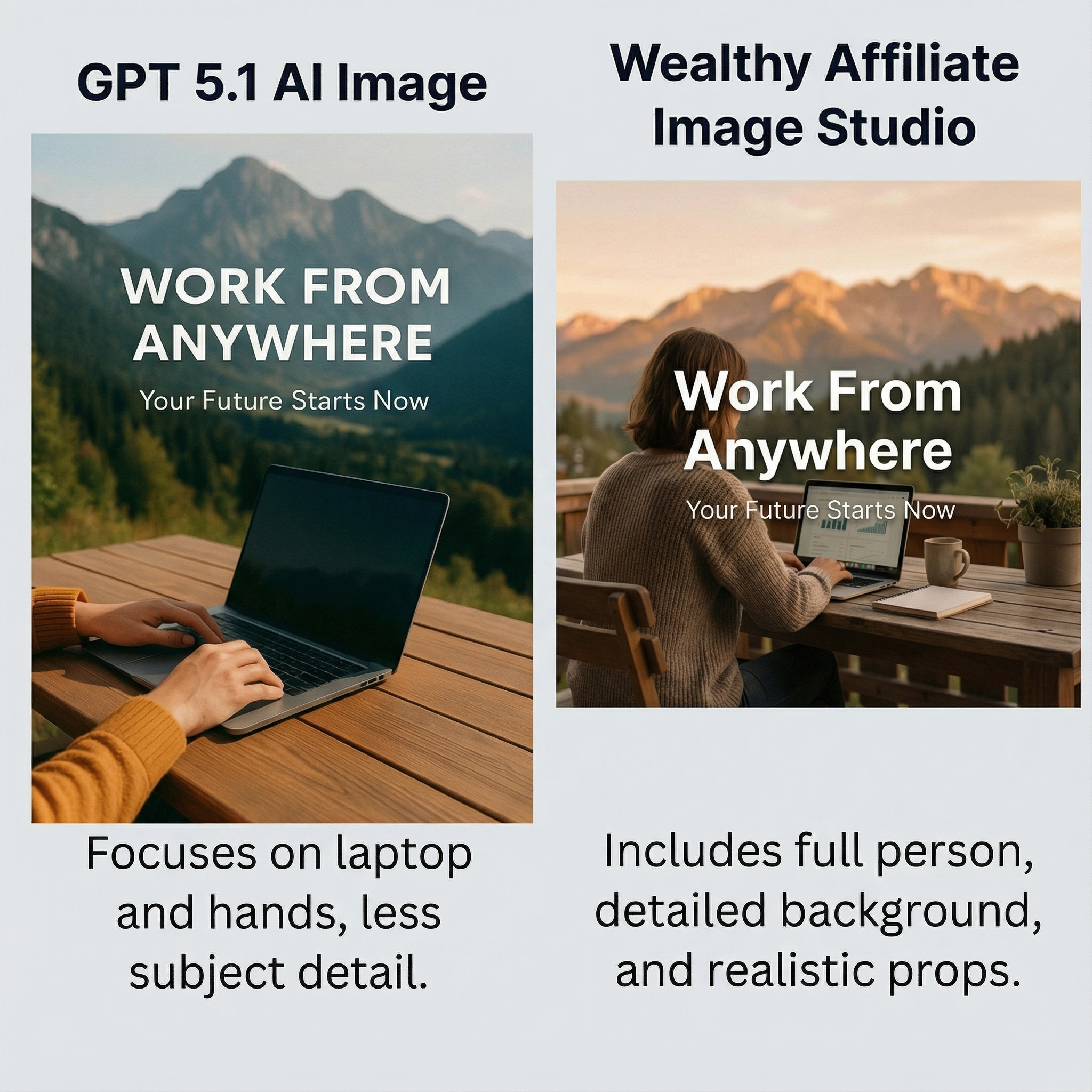
GPT 5.1 took just over 1.5 minutes to render this image.
Image Studio produced its version in roughly 30–60 seconds using the same prompt.
DSGNPop vs Midjourney
Midjourney is still the king of artistic, painterly, and highly stylized images. If you are building fantasy posters or gallery pieces, it is hard to beat.
For working marketers, the trade off is real. Midjourney lives in Discord and is not exactly beginner friendly. DSGNPop lives inside your browser, inside the same platform where you already research keywords, write articles, and build your website.
I reach for Image Studio when I need:
- Blog illustrations that match a brand palette.
- Social graphics that are easy to resize and regenerate.
- Practical imagery that does not distract from the message.
DSGNPop vs Canva
Canva is a template first tool. It has its own AI features, but the main value is still in drag and drop layouts. It is fantastic for teams and quick presentations. It can be overkill if all you want is three fresh ad images for a new campaign.
With Image Studio I do not scroll through a hundred templates. I describe the result and let the engine build it. For many “ai image generator for beginners” use cases, that speed matters more than yet another layout library.
Pricing and Value Comparison
| Tool | Main Use | Access | Best For |
|---|---|---|---|
| DSGNPop Image Studio | Marketing images, pins, logos, blog graphics | Included with Wealthy Affiliate Premium Plus credits | Affiliates, bloggers, small business owners |
| Midjourney | High end art and stylized images | Paid subscription inside Discord | Artists and designers |
| GPT image tools | Conceptual prompts, playful ideas | Credits or subscription | Writers and experimenters |
| Canva Pro | Templates, presentations, social posts | Monthly or annual subscription | Teams and general creators |
You could absolutely build a full stack with Midjourney, Canva, and other tools. For me, having research, content, and images in one login has more value than chasing every new platform that hits a “best ai art generator 2025” list.
Version 2 Improvements and Where It Can Grow
Image Studio has already gone through a significant upgrade. Version 2 improved spelling inside images, sharpened realism, and generally made output feel more polished. Text on pins looks like text now, not like a blurry guess.
It still benefits from extra prompt refinement. Short vague prompts tend to produce generic results. Detailed prompts with references produce excellent ones. That is normal for AI engines, but it is worth mentioning.
Where would I like to see it grow next.
- More options to generate multiple images at once for comparison.
- Folders or collections for managing bigger campaigns.
- Preset packs for specific markets like real estate, fitness, and local service businesses.
None of those are deal breakers. They are the kind of features that would take it from “very good” to “dangerously efficient”.
Who Image Studio Is Best For
Instead of simply saying “this is for everyone”, here is a more honest look at the types of projects where Image Studio fits perfectly. You can treat this as a list of possible income streams as well.
Creators and Social Brands
- Motivational quote channels that post daily on Instagram or Facebook and add affiliate links in bios and captions.
- Meme pages that monetize through shoutouts, affiliate deals, or merch.
- Niche fact pages in areas like fitness, animals, and cars that earn from ads and partnerships.
- Niche character accounts where a single mascot appears in every post.
- TikTok or Reels accounts that ride image based trends and need constant new visuals.
- Sports team graphics like player cards, logos, posters, and hype images.
- Fitness influencer packs that bundle workout templates, nutrition posts, and carousel graphics.
Print on Demand, KDP, and Merch
- Boho wall art collections for Etsy or Shopify.
- Micro brand merch lines for mugs, shirts, and phone cases.
- KDP coloring books and activity books on Amazon.
- Shopify print shops powered by custom art rather than stock.
- Digital scrapbooking elements and themed packs for crafters.
- AI travel poster shops with retro style destination art.
- Seasonal merch drops for holidays and events.
- Pet portrait shops for Etsy or Fiverr clients.
Agency Work and Local Business Services
- YouTube thumbnail services for creators who need constant visual hooks.
- Monthly social content packs for small businesses who hate posting.
- Instagram carousel design services for brands and coaches.
- UGC creator content packs that include thumbnails, stories, and static hooks.
- Pinterest image pack stores that sell templates and pin bundles.
- Podcast cover art design for new shows.
- Book cover design for indie authors.
- Real estate social packs such as just listed, sold, and market updates.
- Restaurant promo graphics for menus, specials, and events.
- Flyers and promotional graphics for gyms, salons, contractors, and landscapers.
- Church and community graphics for events and weekly updates.
- Local tourism poster packs and postcards.
- Local business ad packages that bundle Facebook, Instagram, and print creatives.
Education, Family, and Home
- Recipe card templates for bloggers and content creators.
- Educational printables like flashcards, posters, and worksheets.
- AI storybook cards for parents and teachers.
- Teacher classroom decor for seasonal themes.
- Children’s book illustrations and character concepts.
- Wedding invitation kits and printable packages.
- Done for you image libraries in niches like gardening, yoga, and pets.
- Pet coloring books and activity sheets.
Branding and Specialist Services
- Brand starter kits that combine logos, banners, and color palettes.
- Interior decor mockups for furniture sellers.
- AI comic artist style branding for creators and streamers.
- Sports posters and highlight graphics for parents and teams.
- Kids sports achievement posters and season recap designs.
- Micro influencer factories that need twenty to forty images per week per client.
That list is long on purpose. It answers the real question behind “best free ai image generators”. You do not only want a free engine. You want a toolset that turns into products, services, and assets you can charge for.
Pros and Cons
What I Like
- Built directly into the same platform I use for research, writing, and training.
- Strong text rendering and realistic marketing style images.
- Great for beginners who need guided sizes and simple workflows.
- Easy to combine prompts with reference images for brand and client work.
- Included AI credits for Premium Plus members reduce the real cost per image.
What Could Be Better
- Advanced users may still want external tools for ultra consistent character work.
- Single image generations can feel slow when testing many ideas at once.
- More preset packs for specific industries would speed things up even more.
Final Verdict: Where DSGNPop Fits Among The Best AI Image Generators
So. Is DSGNPop the best AI image generator for 2025. If your definition of best is “coolest art for a gallery wall” then no. There are engines built purely for that. If your definition of best is “most useful AI image generator for marketers, affiliates, bloggers, and small business owners who want to build real content and campaigns” then it belongs very high on the list.
It produces sharp, on purpose images. It has already held up under serious community testing. It keeps getting better. And it lives inside a platform that also teaches you how to turn those images into an actual business, not just a folder of pretty files.
Try DSGNPop Image Studio Inside Wealthy Affiliate
I use Image Studio as part of my 0 to 100K public case study. If you want to work with the same tools and training, you can join Wealthy Affiliate through my referral link here:
Join Wealthy Affiliate and unlock DSGNPop Image Studio
Combine the training, the tools, and your own ideas. That is where real results start.
DSGNPop Image Studio FAQ
What is DSGNPop Image Studio?
DSGNPop Image Studio is the AI image generator built into Wealthy Affiliate. It lets you create custom images, social graphics, ads, pins, and illustrations using text prompts and optional reference images. It is part of the wider DSGNPop suite, which also includes a Logo Designer and Article Designer.
Is DSGNPop good for beginners?
Yes. Beginners can choose pre sized canvases for platforms like Pinterest, Instagram, and YouTube, then describe what they want in simple language. The tool handles aspect ratios and generation settings, which makes it a friendly entry point for people who have never used an AI image generator before.
How many images can I create with the free 2,000 AI credits as a Starter member?
Wealthy Affiliate’s free Starter membership includes 2,000 AI credits, which is enough to generate roughly four full images using the Image Studio’s standard 500-credit output. That means a new member can create a blog header, a Pinterest pin, a social post, and even a YouTube thumbnail without upgrading. If you use lighter prompts or non-photorealistic styles, you may get even more mileage. It’s one of the most generous “try it first” AI allowances you’ll find in the industry.
Can I use DSGNPop to make money?
You can. Members already use Image Studio to create social content packs for clients, Pinterest pins for their own sites, wall art and merch designs, and graphics for local businesses. You can package recurring services, sell digital products, or use the images to promote affiliate offers and your own courses.
How does DSGNPop compare to other AI image generators?
DSGNPop focuses on marketing friendly images with strong text, clean compositions, and platform specific sizes. Tools like Midjourney and other art models still win on pure style variety, but Image Studio wins on practical use for bloggers, affiliates, and small business owners who want images they can use immediately in campaigns.
Is DSGNPop free to use?
DSGNPop uses AI credits inside Wealthy Affiliate. Premium Plus members receive a monthly credit allowance that can be used across Image Studio and other WA AI tools. Extra credits may be offered during promotions and challenges. If you are not a member yet, you can learn more and join through my review and referral link.




Leave a Reply