
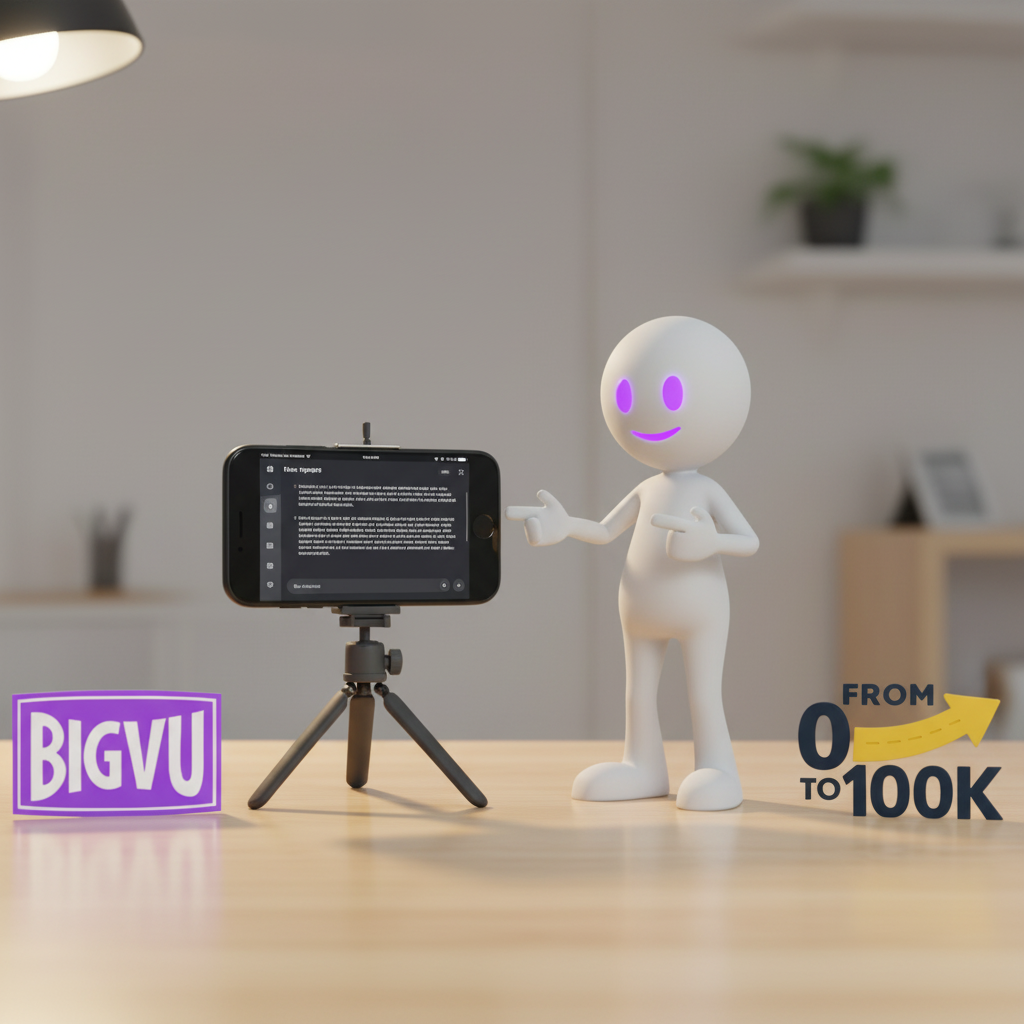
Last Updated on November 22, 2025 by Jeremy
BIGVU Maker for Content Creators — My Real-World Review (2025)
If you’ve ever hesitated to get on camera — stumbled through scripts, worried about delivery, or wasted time trying to “look natural” — BIGVU Maker is the kind of tool that promises to fix that problem for content creators. And honestly? I bought it because I finally reached a point where I said: “Screw it… it’s time to put my face on camera.”
I’ve always done voice-over content. But BIGVU Maker gave me the push to actually record myself, and on November 2nd I started with 7 TikTok videos. As of November 22nd, I posted my first full YouTube video using its teleprompter + script workflow. So this review comes from real usage — not theory.
In this guide, you’ll get the full breakdown: my experiences, the good and the bad, real Trustpilot insights, BIGVU’s pricing vs competitors, internal links to the tools I use, and my personal score (so far: 4/5). If you’re a beginner or an affiliate marketer growing a personal brand, this review will help you decide whether BIGVU Maker is the right fit for your workflow.
What Is BIGVU Maker for Content Creators?
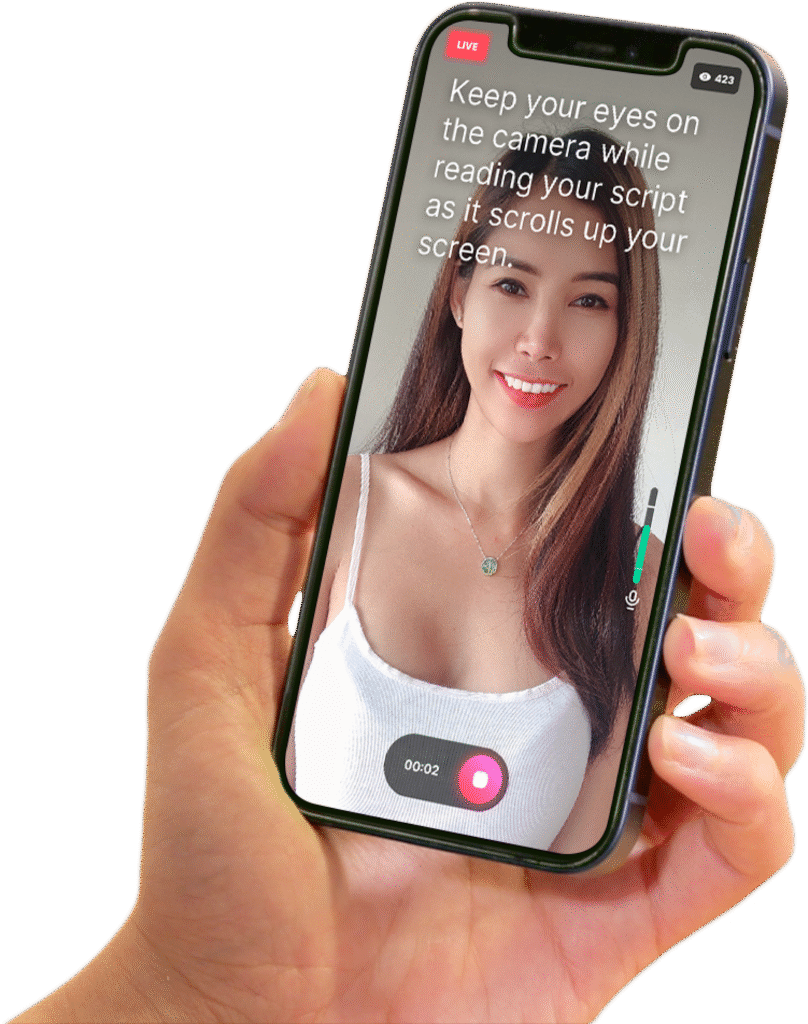
BIGVU Maker is a teleprompter-driven video creation tool that lets you write (or paste) a script, read it smoothly on camera, and then quickly style, caption, and export your content for platforms like YouTube Shorts, TikTok, Instagram Reels, and regular landscape videos.
Instead of memorizing lines or rambling into your phone, you get a guided workflow: your script on screen, your face in frame, and simple tools to trim, caption, and brand your video. For creators who overthink talking on camera, BIGVU basically says, “here’s your script, just read and hit publish.”
Who BIGVU Maker Is Built For
- Content creators who want to finally show their face on camera without freezing.
- Coaches, educators, and reviewers who need scripted, to-the-point videos.
- Affiliates and small business owners who want short, clear promo clips.
- People who prefer reading from a script instead of “winging it” on video.
BIGVU isn’t trying to replace full editing suites like Premiere Pro or DaVinci Resolve. It focuses on one thing creators struggle with most: getting a confident, scripted talking-head video recorded and presentable fast, without dealing with 40 layers of timeline editing.
In the next section, we’ll walk through how the teleprompter and recording flow actually works in real life, and where it feels smooth versus where it gets a bit clunky.
How BIGVU Maker Works in Real Life (Step by Step)
On paper, BIGVU Maker is “just” a teleprompter with some smart editing tools. In practice, it becomes a simple little system: write your script, hit record, trim the awkward bits, style it, and export. Here’s how that looks when I actually use it as a content creator who still doesn’t feel totally natural on camera.
Step 1 – Draft or Paste Your Script
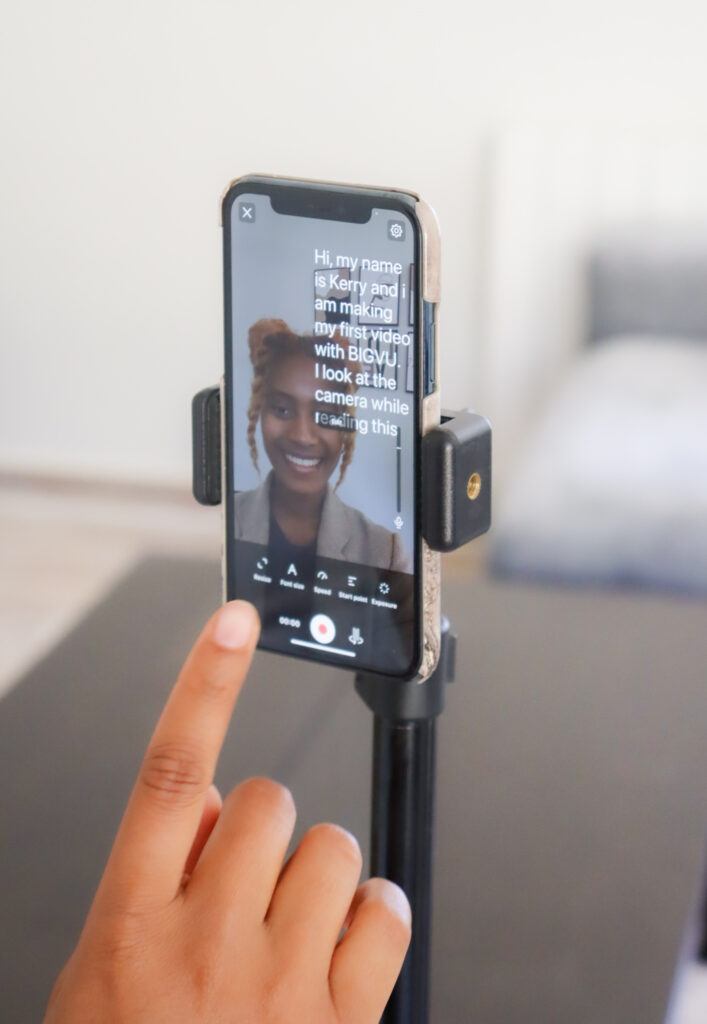
I usually start in a doc or inside BIGVU itself. For my first seven TikToks and the November 22 YouTube video, I took existing blog content and trimmed it into short, direct talking points. BIGVU’s script editor lets you:
- Paste long-form content and break it into logical beats.
- Adjust font size so it’s readable at arm’s length.
- Set the scroll speed so you don’t sound like an auctioneer.
Step 2 – Record with the Teleprompter
This is where BIGVU actually earned its spot in my toolbox. I’m not a “stare at the lens and riff” kind of guy. With BIGVU:
- The script scrolls while you look almost directly at the camera.
- You can pause, restart, or re-do sections without rebuilding the whole video.
- You choose portrait or landscape depending on TikTok/Reels vs YouTube.
It doesn’t remove nerves completely, but it removes the need to memorize lines. That alone made it easier for me to finally accept: “I’m going to be on camera whether I love it or not.”
Step 3 – Trim, Clean Up, and Fix Mistakes
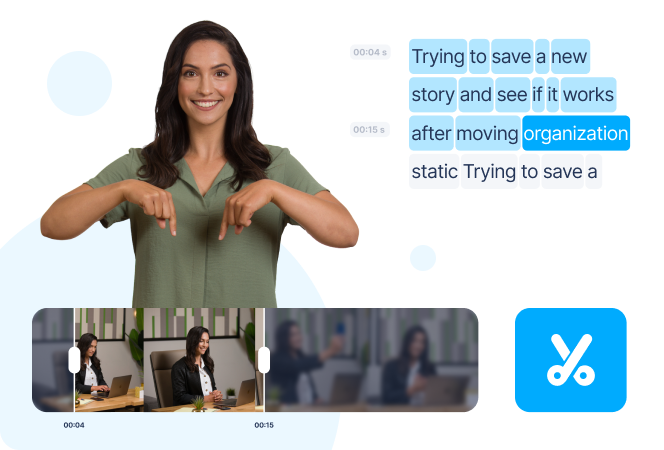
After recording, BIGVU’s built-in trimmer lets you quickly cut the “dead air” at the start and end, plus any obvious flubs. This is not a Premiere Pro replacement, but for short talking-head clips it does the job:
- Cut awkward pauses and long blinks.
- Remove re-starts where you lost your place.
- Keep the energy tight for short-form content.
For anything more complex (multiple angles, B-roll, layered audio), I still push the export into another editor. But for quick creator content, this step is fast enough that I don’t talk myself out of publishing.
Step 4 – Style, Caption, and Export
Once the core clip feels solid, BIGVU lets you layer on the “social polish”:
- Auto-captions with editable text for accuracy.
- Basic templates and styles to keep things on-brand.
- Exports sized for YouTube Shorts, TikTok, Reels, or standard 16:9.
That’s the full loop I use: script → teleprompter → trim → style → export. Simple enough that I can repeat it without burning a whole day on one 60–90 second video.
BIGVU Maker: The Real Pros, the Real Cons, and a Trustpilot Reality Check
Now that we’ve covered how BIGVU actually works in a real workflow, this section breaks down what the tool genuinely gets right — and where it falls short. This includes my hands-on experience plus the Trustpilot data that paints a more complicated picture.
What BIGVU Maker Gets Right (My Real-World Pros)
- Script-first workflow: Paste a script, tweak it, hit record — zero overthinking.
- Confidence boost: As someone who isn’t naturally a “talk to camera” guy, the teleprompter lets me focus on the message instead of nerves.
- Fast short-form output: TikToks, Reels, and Shorts go from capture → trim → caption much faster than using a full editor.
- Creator-friendly interface: The UI is laid out the way content creators actually think.
- Helps you publish consistently: Even if the videos aren’t perfect, BIGVU makes “good enough to ship” easy.
Where BIGVU Maker Struggles (My Cons So Far)
- Price vs value: The AI Pro 6-month plan isn’t cheap. For me, it was more of a “pay to force myself onto camera” purchase.
- Occasional glitches: Small freezes, small slowdowns — nothing catastrophic, but definitely not flawless.
- Workflow confusion: Moving between scripts, takes, captions, and exports can feel a bit “where do I click next?”
- Not a full editor: If you expect Premiere-style control, you will hit limitations quickly.
Trustpilot Reality Check (Nov 2025)
My personal experience so far has been mostly positive — but Trustpilot tells a very different story. With only 12 reviews, it’s a small sample size, but still important to address honestly.
- TrustScore: 2.2 / 5 (“Poor”)
- Total reviews: 12
- 1-star reviews: 66% — most calling it unusable.
Common complaints:
- Audio out of sync with lip movement.
- Freezing mid-recording or during export.
- Failed exports (sometimes losing takes).
- Refund issues and unhelpful customer support.
Positive reviews do exist: A few users praise the concept, the teleprompter, and BIGVU’s support team when things work properly. But overall, the ratio leans heavily toward negative experiences.
BIGVU Pricing — Is It Worth It for Content Creators?
BIGVU offers several pricing tiers, ranging from a free plan with watermarks all the way up to advanced creator and business plans. The real question for content creators is whether the cost matches the time you save and the confidence you gain recording on camera.
Free Plan
Includes watermarked videos, basic teleprompter use, and up to 9-minute HD recordings. Good for testing, not ideal for creators posting consistently.
Starter — $12/mo (Yearly)
Removes the watermark, gives you up to 9-minute HD videos, basic styling tools, and limited AI scripts. Best for simple talking-head clips without advanced features.
AI Pro — $19/mo (Yearly)
Adds longer recordings (up to 59 minutes), unlimited AI scripts, subtitle translation, improved teleprompter controls, and more export options. This is the first truly “creator-friendly” tier.
AI Max — $49/mo (Yearly)
Includes everything in AI Pro plus AI Twins, voice cloning, video automation, B-roll overlays, and advanced export/publishing features. Ideal for teams, coaches, or heavy multi-platform creators.
Enterprise — Custom Pricing
For agencies or organizations that need unlimited workspaces, branding kits, user controls, and dedicated support.
For solo content creators, the real decision usually comes down to Starter vs AI Pro. If all you need is simple scripted videos, Starter works. If you want longer videos, cleaner captions, and more AI tools, AI Pro becomes the better long-term fit.
BIGVU Maker Pricing Breakdown (And How It Stacks Up)
BIGVU’s pricing is built around subscription tiers. The more you pay, the more AI features, scripts, resolution options, and export flexibility you unlock. For creators just getting onto camera, it can feel like a serious commitment rather than a casual “try it and forget it” tool.
Core BIGVU Plans
- Free: Watermarked videos, basic teleprompter, short limits.
- Starter: Longer HD videos, no watermark, a handful of scripts.
- AI Pro: Longer 4K videos, more AI scripts, subtitles, translations.
- AI Max / Enterprise: Teams, AI twins, higher usage and support.
What I Actually Paid For
I personally grabbed a 6-month AI Pro deal. For me, this wasn’t a casual upgrade. It was a deliberate “I’m forcing myself on camera now” purchase.
Even on a promo, pricing feels a bit much if you’re on a tight budget, but I justified it as the cost of finally getting over the “no-face” barrier in my content.
How BIGVU Compares With Other Tools
In terms of subscription cost, BIGVU generally sits in the same ballpark as tools like VEED, Descript, InVideo, and Steve.ai — not wildly more expensive, but not the cheapest option either.
Where it tries to stand out is the teleprompter-first workflow. If you mainly need deep editing, you might get more value from Descript or VEED. If your biggest bottleneck is confidence and delivery on camera, BIGVU earns its keep by making that part less painful.
My Current BIGVU Score
Overall experience so far: 4 / 5.
Short version: BIGVU Maker isn’t the cheapest way to record video, but if it helps you finally get consistent, on-camera content published, the investment can make sense. In the next section, we’ll zoom out and compare BIGVU against a few popular alternatives in a simple side-by-side view.
BIGVU vs Alternatives — Where It Actually Fits
BIGVU Maker isn’t the only option in the “talking head + social video” space. Here’s a quick, non-technical comparison so you can see where it makes sense, and where tools like VEED, Descript, or Steve.ai might be a better fit.
| Tool | Best For | Standout Strength | Main Trade-Off |
|---|---|---|---|
| BIGVU Maker | Scripted, face-to-camera content creators | Teleprompter-first workflow that gets you on camera fast | Pricing feels high; Trustpilot reports glitches & sync issues |
| VEED | Social editors who want a full browser-based studio | Deep editing tools, templates, and strong caption controls | More complex UI; better as an editor than a teleprompter tool |
| Descript | Podcasters, educators, and screen-record style content | Edit video by editing text transcripts; strong audio tools | Overkill if you just want teleprompter-style talking head videos |
| Steve.ai | Script-to-video explainer clips with stock or animated visuals | Very fast AI-generated videos from text prompts | Less about you on camera, more about B-roll and animation |
The short version: if your main bottleneck is getting yourself on camera with a script, BIGVU Maker still has a clear lane. If you care more about heavy editing, motion graphics, or podcast-style production, the alternatives above may give you a better return for the price.
Who Should Use BIGVU Maker (And Who Should Avoid It)
BIGVU isn’t a universal “yes.” It solves a very specific problem: helping creators record scripted, face-to-camera videos without overthinking the delivery. If you struggle with confidence, direction, or memorizing lines — BIGVU is built for you.
BIGVU Is a Strong Fit For:
- Creators who freeze or ramble when the camera turns on.
- Affiliates and educators who prefer structured, scripted delivery.
- Beginners who want clean-looking videos without learning a full editor.
- Busy people who need a script → record → export workflow.
- Anyone building YouTube Shorts, Reels, or TikToks consistently.
- Reviewers, teachers, and presenters who want repeatable video formats.
BIGVU May Not Be for You If:
- You need full timeline control like Premiere Pro or DaVinci Resolve.
- You create complex edits, transitions, or multi-layer projects.
- You can confidently speak on camera without scripts or guidance.
- You need flawless, glitch-free long-form recording sessions.
- Your budget is tight — BIGVU’s pricing is higher than competitors.
If you want a supportive tool that helps you get on camera faster and look professional without mastering editing software, BIGVU is a strong match. If you’re a technical editor or a perfectionist who wants full control, you’ll likely hit limitations quickly.
My Final Verdict on BIGVU Maker
After using BIGVU Maker across both TikTok and YouTube — and pushing myself to finally get on-camera after years of doing only voiceovers — here’s the honest bottom line: BIGVU is the tool that got me recording consistently. And for many creators, that single outcome is worth more than any fancy editing feature.
It’s not perfect. The Trustpilot complaints about audio sync and freezes absolutely match the “this feels a bit glitchy sometimes” moments I’ve had. And yes, the pricing is on the heavier side when you compare it to VEED, Descript, or even Steve.ai.
But the core job — helping someone who isn’t naturally a “talk to camera” person become comfortable, confident, and consistent — BIGVU nails it. If your struggle is delivery, nerves, or rambling, the teleprompter flow alone can justify the investment.
4 out of 5
Great for confidence and scripted workflow. Loses a point for pricing and technical hiccups.
If you want a polished-looking script-first workflow without diving into a full editor, BIGVU is one of the fastest ways to finally show your face online and build a stronger personal brand — especially across TikTok, Reels, Shorts, and even YouTube.
Should You Try BIGVU Maker for Your Content?
If you’re already comfortable on camera and love deep, layered editing, BIGVU Maker may not feel like a big upgrade. But if you’re like me — someone who lived behind voiceovers for years, overthought every take, and needed a push to actually show up on screen — it fills a very specific gap in the content stack.
The script-first workflow, built-in teleprompter, and simple trimming + captioning tools are what made it worth testing for my From 0 → 100K project. It’s not perfect, and the public Trustpilot score proves there are real issues for some users, but for creators who want to publish more talking-head content without learning a full editor, it can still be the right “bridge” tool.
If you decide to test BIGVU Maker for yourself, you can start from my tools page and see how it fits alongside everything else I use in this 0 → 100K build:
See BIGVU inside my full “Tools I Use” stack
Note: some links on that page (including BIGVU) are affiliate links, which means I may earn a commission if you decide to sign up — at no extra cost to you.
If you want to go directly to BIGVU, use my referral link and coupon to knock some cost off your
first plan:
BIGVU referral link:
https://bigvu.tv/?fpr=jeremy-denesovych79
Coupon for your referrals: FVZUZEMO (currently $20 off)
BIGVU Maker FAQ (For Content Creators)
Is BIGVU Maker worth it for content creators who hate being on camera?
It depends on why you’re stuck. If your main problem is confidence, scripting, and delivery, BIGVU helps a lot: teleprompter, script-first workflow, and simple editing all reduce the mental friction of recording. If your main problem is creative direction or topic ideas, you may still need a broader content strategy in addition to BIGVU.
Does BIGVU Maker work for both YouTube and short-form platforms?
Yes. BIGVU can record and export in both vertical and horizontal formats, which makes it useful for TikTok, Reels, Shorts, and standard YouTube uploads. For short-form content, the capture → trim → caption flow feels fast. For longer videos, you may notice a bit more processing time and some occasional slowdowns.
What are the biggest problems people report with BIGVU?
Public reviews on Trustpilot currently show a mixed picture. The main complaints include audio being out of sync with lips, freezing during recording, failed exports, and difficulty getting refunds when things do not work as expected. My own experience hasn’t hit those issues so far, but they’re important to know about before you commit to a plan.
Is BIGVU a full video editor?
No. BIGVU focuses on scripted, talking-head style videos. You get trimming, captions, layouts, and basic styling, but not the deep timeline control you’d find in Premiere Pro, DaVinci Resolve, or even some mobile editors. Think of it as a focused tool for getting scripted camera content recorded and ready to publish quickly.
What are some alternatives to BIGVU Maker?
For teleprompter-style recording with more traditional editing, you can look at Descript, VEED, or InVideo. If you prefer mobile-first editing with manual control, CapCut or VLLO may be a better fit. If you want more AI-driven video creation from scripts, Steve.ai and similar tools can help — especially if you do not want to record your face at all.





Leave a Reply